The digital transformation of education has fundamentally altered how teachers instruct, how students learn, and how schools measure academic success. Traditional paper-and-pencil assessments are rapidly giving way to interactive, data-driven software that offers immediate insights into student comprehension. Among the leading tools in this educational technology revolution is Edulastic, a highly versatile online assessment platform designed specifically for K-12 educators and administrators. By bridging the gap between daily classroom instruction and high-stakes state testing, this tool empowers teachers to track student progress in real-time, diagnose learning gaps instantly, and customize educational pathways to meet individual needs.
To understand the full impact of Edulastic, now widely recognized as Pear Assessment under the Pear Deck Learning umbrella, one must look at how it simplifies the incredibly complex task of educational evaluation. Teachers often spend hours grading papers, drafting quiz questions, and manually aligning homework with state standards. This platform automates these tedious processes while maintaining a deep focus on formative assessment. It provides a centralized ecosystem where teachers can create custom tests, share them across a school district, and immediately view actionable analytics as soon as a student clicks “submit”. This in-depth guide explores everything you need to know about integrating this powerful digital assessment tool into your teaching toolkit.
Understanding the Core Philosophy of Edulastic
At its core, Edulastic was built to answer a critical educational challenge: how can teachers know exactly what their students understand before the final exam? In a traditional classroom setting, a teacher might explain a concept, assign homework, and grade it days later, only to realize half the class missed a foundational step. By the time the grading is complete, the class has already moved on to more complex material, leaving struggling students further behind. This platform solves this issue by prioritizing formative assessment—the practice of evaluating student learning during the instructional process to modify teaching and learning activities.
The platform allows teachers to conduct quick, interactive check-ins, exit tickets, and mid-unit quizzes that act as academic pulse checks. By receiving instant feedback, educators do not have to guess who is struggling or wait for end-of-year standardized tests to identify learning gaps. Instead, they can adjust their lesson plans tomorrow based on the precise data gathered today. This shift from reactive grading to proactive instructing lies at the very heart of the platform’s design, turning standard tests from stress-inducing hurdles into valuable learning opportunities.
Key Features that Empower K-12 Teachers
One of the main reasons this software stands out in the crowded educational technology market is its robust suite of features designed with a teacher’s busy schedule in mind. The platform provides access to a massive library of pre-made, standards-aligned questions, allowing educators to build high-quality quizzes in minutes instead of hours. Educators can search for questions based on specific grade levels, subjects, difficulty, or precise academic standards, such as Common Core or state-specific criteria. This means you do not have to reinvent the wheel every time you start a new unit; instead, you can leverage a wealth of community-created and expert-verified academic content.
Beyond simple question banks, the platform’s assignment dashboard gives teachers absolute control over how assessments are delivered. You can easily randomize questions to prevent cheating, set strict time limits, and schedule assignments to open and close automatically. The system also offers robust accessibility features, such as text-to-speech tools, magnifying options, and color contrasts, ensuring that students with diverse learning needs and accommodations can participate fully without feeling singled out. By streamlining these administrative tasks, the software frees up valuable hours, allowing teachers to focus on what they do best: actually teaching and supporting their students.
Exploring Technology-Enhanced Items (TEIs)
In the past, online testing was largely restricted to multiple-choice questions that only measured basic memorization. Edulastic completely transforms this experience by offering over thirty distinct types of Technology-Enhanced Items (TEIs). These interactive question formats mirror the rigorous styles students encounter on state-level standardized assessments, preparing them both academically and logistically for high-stakes testing environments. By moving past simple multiple-choice, these items encourage higher-order thinking, problem-solving, and deeper analytical reasoning.
Some of the most popular TEI formats include drag-and-drop categorization, graphing plots, hot-spot selection where students click specific areas of an image, and multi-part questions that require multi-step logic. For math teachers, the platform features sophisticated math keyboards that allow students to input complex equations, fractions, and geometric symbols easily. Science and history teachers can utilize interactive maps, matching grids, and labeling diagrams. These varied question types keep students actively engaged during testing and provide a much more accurate representation of their actual knowledge and critical thinking capabilities.
The Power of Real-Time Data and Analytics
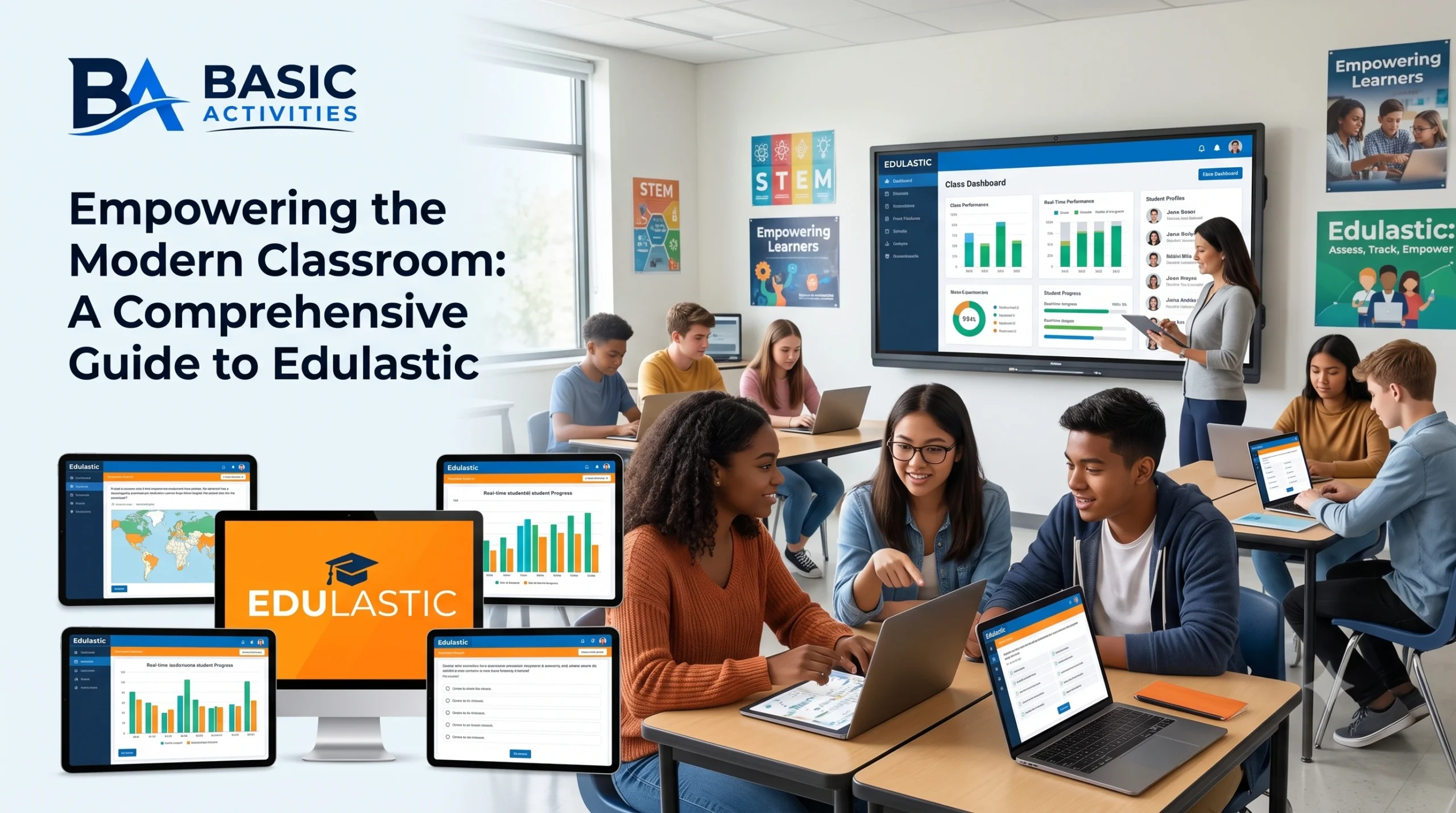
The true magic of this assessment software occurs immediately after a student completes an assignment. Instead of collecting physical papers, carrying them home, and spending hours marking them, teachers are greeted with an instantly populated live dashboard. This interface displays real-time performance metrics, color-coding student scores to show who has mastered the standard, who is close to proficiency, and who requires immediate, targeted intervention. This visual representation of data allows teachers to spot class-wide trends and individual outliers at a single glance.
If the dashboard reveals that 70% of the class answered a specific question incorrectly, the teacher knows right away that the underlying concept needs to be retaught to everyone. Conversely, if only three students struggled with a particular skill, the teacher can easily pull those three students aside for a focused small-group study session while the rest of the class moves on to independent work. This level of granular data helps educators implement true differentiation, ensuring that no student is left behind and no student is held back due to a lack of academic insight.
Integrating Edulastic into Your School’s Ecosystem
Implementing a new software program can often be a headache for school IT departments and teachers alike, but this platform has been built to play exceptionally well with others. It integrates seamlessly with popular Learning Management Systems (LMS) such as Google Classroom, Canvas, Schoology, and Microsoft Teams. For example, teachers using Google Classroom can import their student rosters with a single click, eliminating the need to manually create student usernames and passwords. Once an assignment is graded, those marks can sync automatically back to the primary school gradebook, keeping administrative work to a minimum.
Additionally, the software works seamlessly with single sign-on (SSO) systems like Clever and ClassLink. This means students do not have to memorize yet another set of login credentials; they can simply click a single button on their school dashboard to access their assessments instantly. This ease of integration is crucial for maintaining classroom momentum, as it prevents valuable learning time from being wasted on troubleshooting lost passwords or broken student accounts. It makes the transition to digital testing practically frictionless for students of all age groups.
How Students Benefit from Digital Assessments
While the platform is an incredibly powerful tool for teachers, it is equally beneficial for the students taking the tests. One of the greatest psychological barriers in education is the delay between completing an assignment and receiving feedback. When a student has to wait a week to get a paper test back, they have often lost interest in the topic and forgotten their thought process when answering the questions. This platform offers instant feedback, showing students exactly which questions they got right, which ones they got wrong, and what the correct answers should have been, the very second they submit their work.
This immediate clarity helps turn assessments into a constructive step in the learning process rather than just a final judgment. Students can see their own growth, track their progress toward mastering specific learning standards, and take greater ownership of their academic journeys. Furthermore, because the testing interface is highly visual and interactive, many students find it far more engaging and less intimidating than traditional black-and-white paper worksheets. It transforms test-taking from a passive, stressful chore into an active, tech-friendly challenge.
Edulastic vs. Pear Assessment: What Changed?
In recent years, the educational technology landscape saw a major shift when Edulastic rebranded and integrated deeper into the GoGuardian ecosystem, officially becoming Pear Assessment. This change was part of a larger effort to unify several beloved classroom tools under the Pear Deck Learning suite, creating a more cohesive experience for schools. While the name on the website and the logo changed to a bright pear icon, the core functionality that teachers have relied on for years remains fully intact and has actually been expanded.
The integration with Pear Deck Learning has brought exciting new updates to the platform. It now connects more seamlessly with interactive presentation tools, allowing teachers to transition smoothly from a live, guided lesson to an independent formative assessment. It also introduced Pear Start, an AI-powered assistant designed to help teachers generate custom questions, lesson plans, and practice sets in seconds. Despite the fresh coat of paint and the new name, the platform continues to serve its primary mission: providing teachers with the highest quality testing tools to drive student achievement.
Best Practices for Successful Classroom Implementation
To get the absolute most out of this assessment platform, teachers should approach its implementation strategically. It is highly recommended to start small. Rather than launching a massive, end-of-unit exam on the platform right away, begin with low-stakes assignments like a daily five-question exit ticket or a quick warm-up quiz. This allows both you and your students to become comfortable with the digital interface, the navigation tools, and the various interactive question types without the pressure of a major grade hanging over their heads.
Another great practice is to involve students in analyzing their own performance data. Spend time showing them how to read their assessment dashboards and encourage them to identify their own areas of strength and weakness. By teaching students to look at a red or green color-coded score as a guide for what to study next rather than a personal failure, you foster a healthy growth mindset. Finally, make sure to utilize the collaborative features within the platform. Share your best assessments with colleagues in your school or district to build a unified, high-quality curriculum together.
FAQs
What is the pricing structure for teachers and school districts?
The platform offers a robust free version for individual teachers that includes access to core assessment creation tools, the shared community question library, and basic real-time grading reports. For advanced analytics, school-wide common benchmark tracking, secure browser lockdown modes, and custom LMS integrations, schools and districts can purchase premium licensing plans tailored to their specific student enrollment size.
Can I use Edulastic for remote or hybrid learning environments?
Yes, the platform is incredibly well-suited for remote, hybrid, or blended learning classrooms. Because it is completely web-based, students can securely access their assignments from any computer, tablet, or Chromebook with an internet connection. Teachers can monitor student progress live from their own dashboards, even if the students are working asynchronously from home.
How does the platform help prepare students for state testing?
State standardized assessments are increasingly administered online and use complex, technology-enhanced interactive questions. By using this software throughout the school year, students get valuable, routine practice navigating identical digital testing tools, such as highlighting text, using online calculators, and dragging items into grids. This eliminates test-day anxiety related to technology, allowing students to focus purely on showing what they know.
Is it possible to import my existing PDFs or paper tests into the platform?
Yes! The platform features advanced document-conversion tools—including modern AI features in the Pear Assessment suite—that allow you to upload your existing PDF worksheets or paper tests. The system helps you quickly digitize these old materials, overlaying interactive question fields directly on top of your scanned documents so you do not have to rebuild your favorite tests from scratch.